 By
By 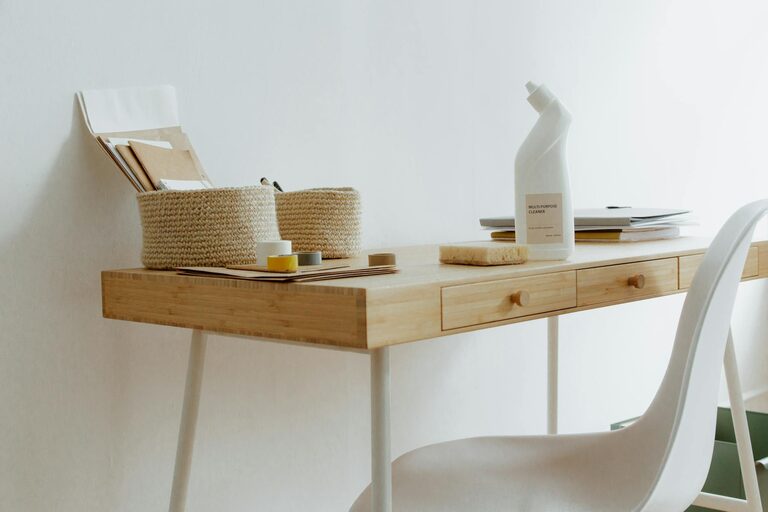
Creating an organized and productive home workspace is essential for maintaining focus, efficiency, and a healthy work-life balance. Whether you work remotely full-time or occasionally need a dedicated area for tasks, your workspace influences your mood and output. This guide offers practical advice to help you design a home office that supports your work habits and keeps distractions at bay.
Why an Organized Workspace Matters
An organized workspace reduces clutter and stress, helping you concentrate better. It also minimizes time spent searching for documents or supplies, which adds up throughout the day. When your environment is tidy and well-arranged, you can focus more fully on your tasks.
Choosing the Right Location
Consider Natural Light
Select a spot in your home that receives plenty of natural light. Sunlight helps improve mood and alertness. Near a window is ideal, but avoid placing your screen where glare can be a problem.
Minimize Noise and Distractions
Try to find a quiet corner away from high-traffic areas like the kitchen or living room. If noise is unavoidable, consider noise-canceling headphones or adding soft furnishings like rugs and curtains to absorb sound.
Make Use of Available Space
If you don’t have a separate room, use room dividers or screens to create a dedicated workspace. Keeping your work area separate from other areas helps signal to your brain that it’s time to focus.
Essential Furniture and Equipment
Desk and Chair
Invest in a comfortable, ergonomically designed chair and a desk at the right height. Good posture supports focus and prevents discomfort during long work hours.
Storage Solutions
Use shelves, drawers, or filing cabinets to keep papers and supplies organized. Label containers for easy access and reduce desktop clutter.
Technology Setup
Ensure your computer, monitor, keyboard, and mouse are set up comfortably and efficiently. Use cable organizers to keep cords tidy and out of the way.
Organizing Your Workspace
Declutter Regularly
Set aside time weekly to clear unnecessary items from your desk. Only keep current projects and essential tools on your desktop.
Use Organizers and Trays
Desk organizers help keep pens, paper clips, and other small items sorted. Use trays for incoming and outgoing documents to manage workflow.
Digital Organization
Maintain a clear digital workspace by organizing files into folders, backing up data regularly, and limiting desktop icons.
Creating a Productive Atmosphere
Personalize Mindfully
Add a few personal touches like a plant, artwork, or photos to make your workspace inviting without causing distractions.
Manage Lighting
Use a good desk lamp to supplement natural light for evening work or on cloudy days. Adjustable lighting reduces eye strain.
Set Work Hours and Breaks
Create a daily schedule that includes specific work hours and regular breaks. Use a timer or app to remind you to stand, stretch, and rest your eyes.
Staying Motivated and Focused
Set Clear Goals
Start your day by listing tasks and prioritizing them. Breaking work into smaller steps can make big projects less overwhelming.
Limit Interruptions
Inform family members or housemates of your work hours to limit interruptions. Close unnecessary tabs and silence phone notifications when focus is needed.
Incorporate Movement
Periodically stand up, stretch, or take short walks to maintain energy and reduce fatigue.
Maintenance and Adaptability
Regularly Reassess Your Setup
As your work habits or job requirements change, adjust your workspace accordingly. Flexibility helps maintain comfort and effectiveness.
Keep Cleaning Supplies Handy
Quickly wipe down surfaces and tidy up at the end of the day to start fresh the next morning.
—
By thoughtfully designing your home workspace, you create an environment that supports productivity and well-being. Apply these tips gradually to find what works best for you, and enjoy the benefits of a space tailored to your professional needs.